
Digital menu · Table ordering · Bookings · Takeaway & delivery
The digital menu for your restaurant, designed to be read by anyone.
Ristoralia takes your restaurant online with an accessible QR code digital menu, orders placed straight from the table, table bookings and takeaway and delivery orders — all in one place, in 15 languages, compliant with the WCAG 2.1 AA guidelines.
- WCAG 2.1 AA verified
- 15 languages, including Arabic
- 0% commission on orders
- Payments straight to your PayPal
Digital menu
A QR code digital menu your customers open in a second
Customers scan the QR code with their phone camera and the digital menu opens in the browser: no app to install, no waiting. You update it whenever you like — a price, a photo, a dish that has sold out — and it changes instantly for everyone.
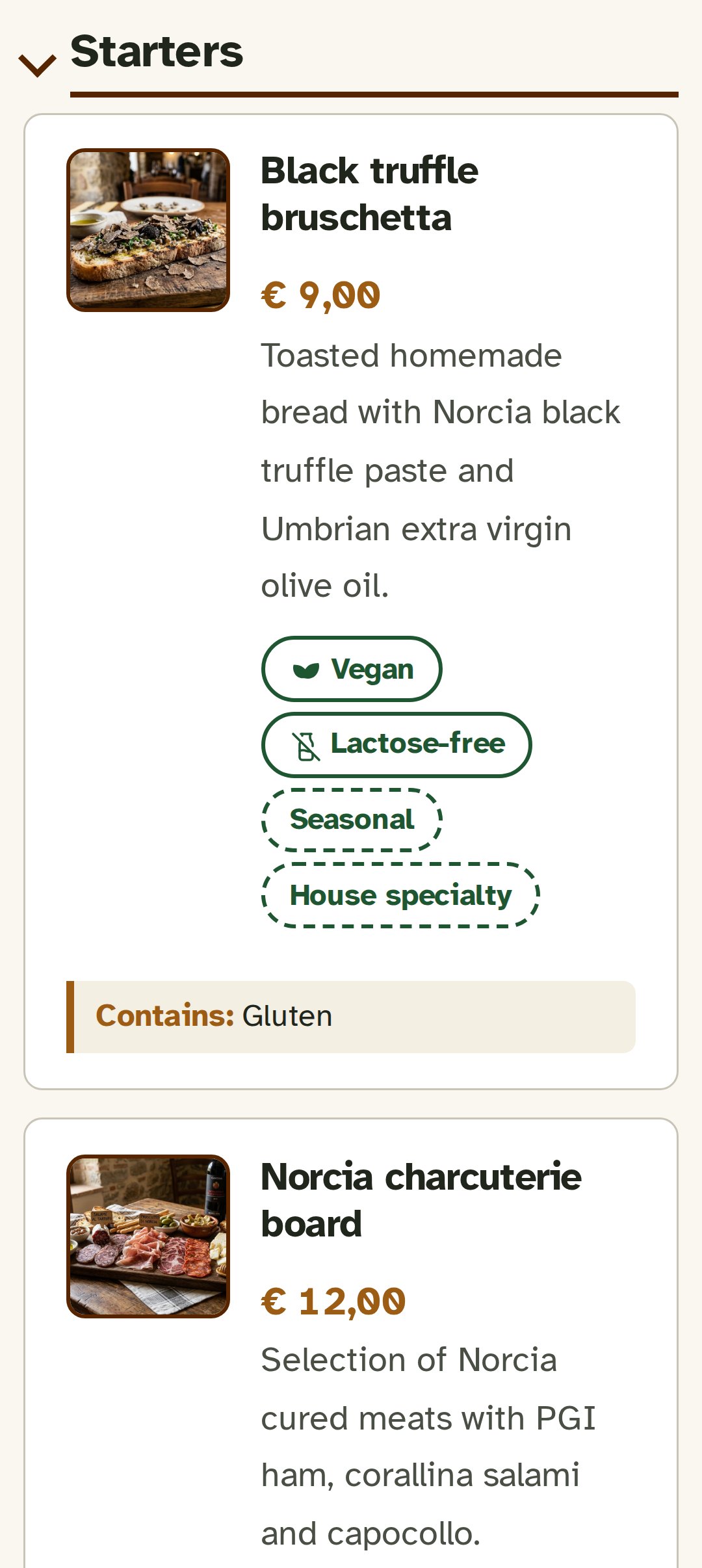
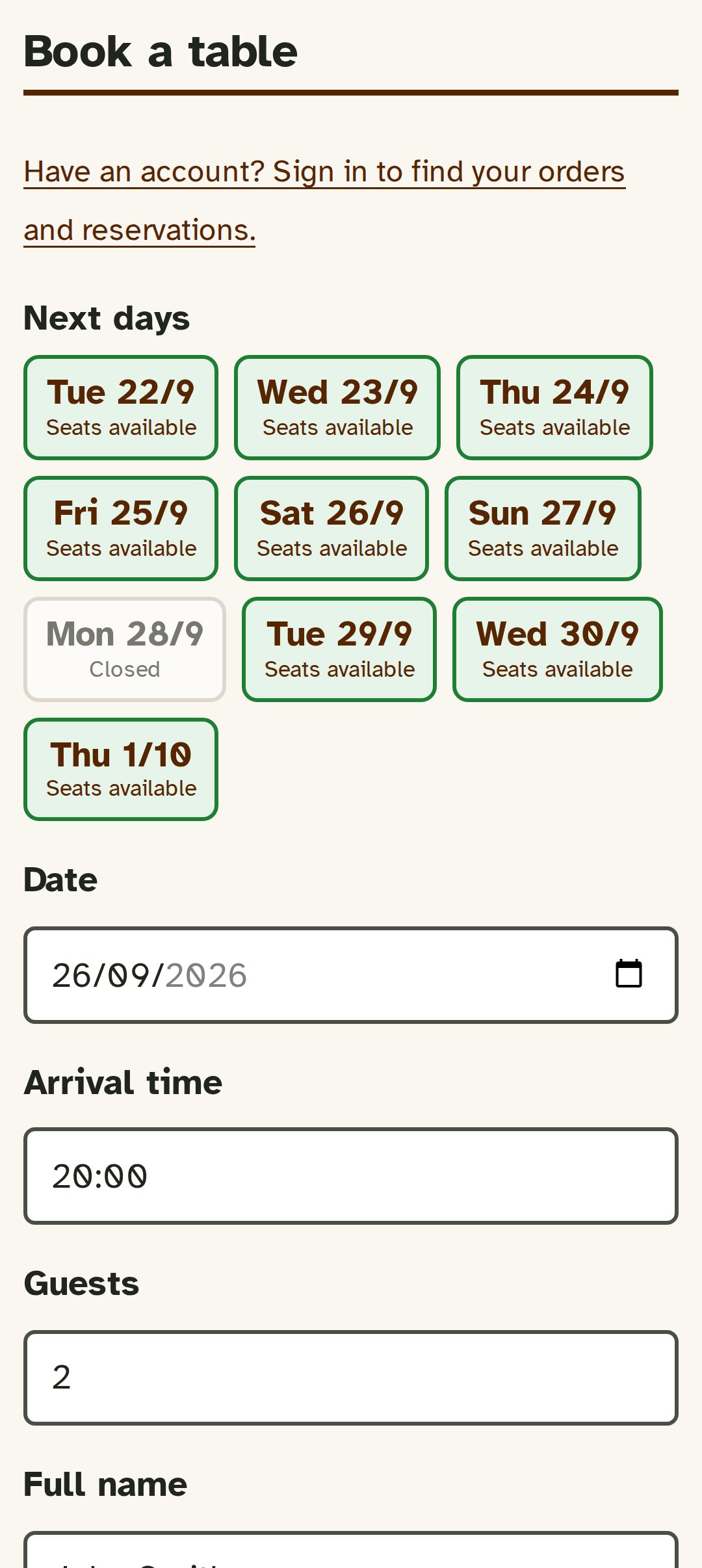
Table bookings
Bookings that assign themselves to the right table
Customers choose the date, time and number of guests from the digital menu: Ristoralia works out which tables to combine, avoids double bookings and suggests the next available times if the one they chose is full.
Takeaway & delivery
Takeaway and delivery orders, with no middlemen
Customers order from the menu, choose collection or delivery and pay by card or PayPal — straight into the restaurant’s PayPal account. Ristoralia never touches a single euro of your takings.
1st course · in the kitchen
- Black truffle bruschetta
- Pecorino flan no garlic
2nd course · waiting for the table
- Strangozzi with black truffle
Table ordering
Customers order from the table, the ticket goes to the kitchen
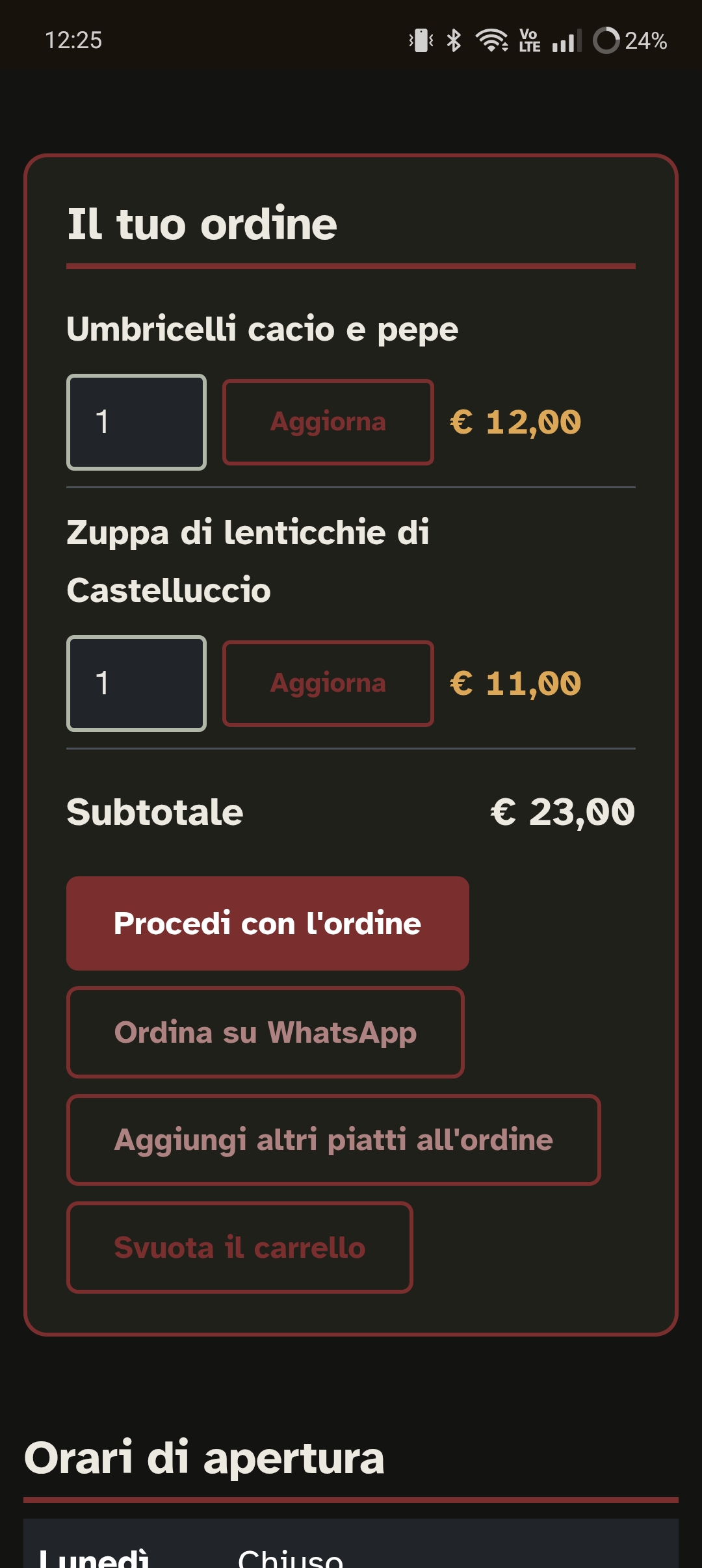
One QR code per table: customers scan it, browse the menu and order from their own phone. The order reaches your staff and, if you wish, goes straight to the kitchen — where it prints itself. No app to download, no tablets to buy, nobody stuck at the table with a notepad.
Dietary and allergen filters
A menu that answers “can I eat this?” on its own
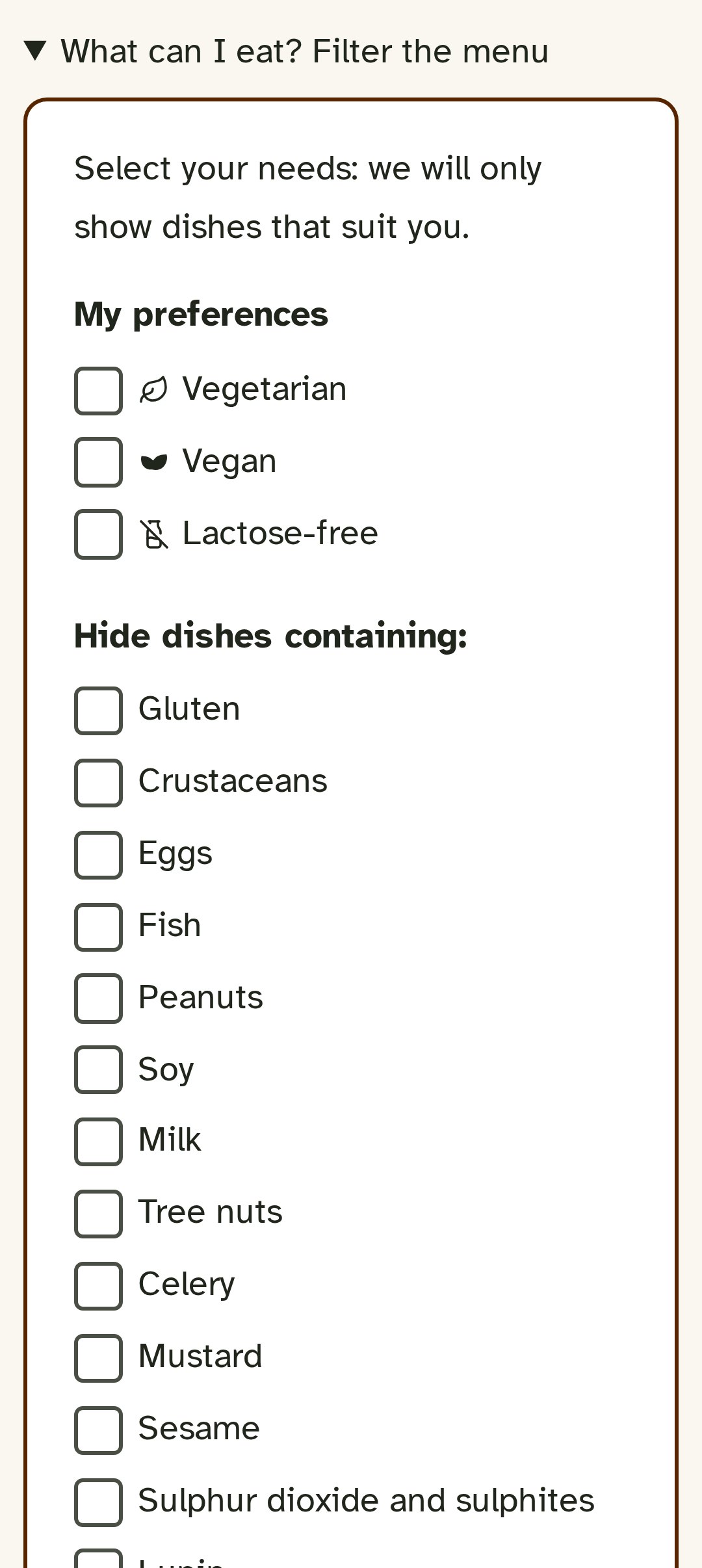
The 14 allergens listed in EU Regulation 1169/2011, plus vegetarian, vegan and lactose-free: customers tick what they want to avoid and the menu hides the dishes that aren’t right for them. No questions for the waiter, no risks taken in a hurry or out of embarrassment.
Restaurant dashboard
Everything that happens around your dishes, in one place
The menu is the part your customers see. Who opens it and in which language, what reaches the kitchen, where bookings end up: everything else you follow from a single dashboard, in English or Italian.
Advanced statistics
How many people open the menu, which menu they look at and in which language, and whether they go on to book or order. Menu, bookings, orders and gallery counted separately, on a chart by day, week, month or year.
Thermal printing in the kitchen
Orders print themselves on a thermal printer using the Star CloudPRNT protocol: the printer connects to Ristoralia over the internet, so there’s no need to keep a computer or tablet switched on in the restaurant.
Bookings in Google Calendar
Connect your Google account or use an ICS link to add to any calendar. Bookings appear on their own and, when one is cancelled, its event disappears too.
Quick actions
Add a dish, find and edit a booking, extend today’s delivery times, pause orders: the things you do every day, one click from the dashboard.
Filters tailored to your menu
Beyond allergens and diets, you create the filter groups you need — and each menu has its own, without carrying over those of the others.
Downloadable reports
Orders and bookings exportable to CSV or Excel, with charts for the period you choose: for your own accounts or for your accountant.
Why Ristoralia
We looked at the other platforms. Here’s what’s different
Almost every digital menu platform does one thing well: the menu. Few truly bring bookings, orders and payments together in one place — and none of the ones we checked declares WCAG compliance.
Zero commission
Order takings go straight to the restaurant’s PayPal account: Ristoralia doesn’t act as an intermediary for customer payments.
Genuinely accessible
Not just a label: contrast calculated page by page, a typeface designed for low vision, keyboard and screen reader support.
15 languages, including Arabic
Menus and bookings written in every language, not translated on the fly — with a mirrored layout for Arabic.
Every email carries your brand
The restaurant’s colour and logo on the confirmations customers receive, not the platform’s.
Refunds without leaving the dashboard
Cancel a paid order and the refund starts right there, guided step by step.
Customers manage things themselves
They change or cancel bookings and orders within the time limits you decide, without a phone call.
How it works
Online in three steps
-
Upload your menu
Categories, dishes, photos and prices: in a few minutes you have a first version online.
-
Switch on what you need
Bookings, table ordering, takeaway, delivery, WhatsApp orders: one switch for each.
-
Print the QR code and put it on the tables
One for the window, one for each table: customers scan it and start using it, without downloading anything.
Pricing
One price, every feature included
A digital menu in 15 languages, table ordering, bookings, takeaway and delivery: there are no cut-down versions and no features to unlock, and new features reach everyone. No commission on orders, ever.
1 month
€9.99Monthly renewal, to try it at your own pace without a long commitment.
Try it free for 30 days12 months
€59.99just €5.00 a month
A whole year at half the monthly price. The choice of those who have already decided to stay.
Try it free for 30 daysWe do it all for you
€149.9912-month subscription, with Ristoralia setting up your menus, dishes and the configuration for table bookings, takeaway and delivery. Priority technical support by video call.
Get in touch to startPrices exclude VAT.
Frequently asked questions
The questions we’re asked most often
What is a QR code digital menu?
It’s the restaurant’s menu, viewed on a smartphone after scanning a QR code printed on the table, in the window or on the door: it opens in the browser, with no app to install, and the restaurant can update it at any time from its own dashboard.
Is Ristoralia’s digital menu really accessible?
Yes. Every page follows the WCAG 2.1 level AA guidelines: colour contrast checked automatically, the Atkinson Hyperlegible typeface designed for people with reading difficulties, keyboard navigation and compatibility with screen readers.
How do table bookings work?
Customers choose the date, time and number of guests from the digital menu; Ristoralia automatically assigns the available tables and avoids double bookings. The restaurant decides whether bookings are confirmed straight away or only after its approval.
Can I also take takeaway and delivery orders?
Yes, both from the same menu: customers choose collection or delivery, with zones, fees and minimum orders by postcode that you set, and an automatic check on the maximum delivery distance.
Who receives the payments for orders?
The restaurant, directly into its own PayPal account: Ristoralia doesn’t act as an intermediary for payments and takes no commission on orders.
Do my customers need to install an app?
No. Menus, bookings and orders work entirely in the smartphone’s browser: no app to download, for customers or for the restaurant.
In how many languages can I show my menu?
Up to 15 languages: Italian, English, French, Spanish, German, Dutch, Russian, Arabic (with a right-to-left layout), Chinese, Polish, Romanian, Greek, Ukrainian, Slovenian and Albanian. You choose which ones to enable for your restaurant.
How does table ordering work?
Each table has its own QR code: customers scan it, browse the menu and order from their phone. The table stays open and shared, so all the diners order on the same bill; dishes can be split into up to four courses, and whoever places an order can cancel it within thirty seconds, after which only staff can step in.
Do I need a computer or tablet in the kitchen to print orders?
No. Ristoralia uses thermal printers with the Star CloudPRNT protocol: the printer itself connects to Ristoralia over the internet and downloads the orders to print. You just connect it to the restaurant’s network.
Can I ask for a credit card to guarantee a booking?
Yes, and it’s your choice: the option is off by default and you switch it on only if you want it. The card acts as a guarantee against no-shows, and any charge goes straight to the restaurant’s account, never through Ristoralia.
Do bookings end up in my calendar?
Yes, in Google Calendar: you can connect your Google account or use an ICS link to add to any calendar. Bookings appear on their own and, if they’re cancelled in Ristoralia, the event disappears from the calendar too.
What do the statistics tell me?
How many people open the menu, which menu they look at and in which language, and whether they go on to book or order. Menu, bookings, orders and gallery are counted separately, with a line chart by day, week, month or year.
Take your restaurant online, in every language your customers speak.
Digital menu, table ordering, bookings and takeaway and delivery orders: ready in minutes, accessible from day one.